


When Hell Freezes Over – Outlook Style!
For all you MS Office enthusiasts who have discovered the flexibility of adding follow-up flags to appointments in Outlook, here are some hot tips.
First of all, when entering a date in the Due by field, stop being boring. Using the drop-down calendar to select dates takes forever. Simply type in your date thus: dd/mm/yy (unless your computer is set for American dates, in which case you enter mm/dd/yy). Outlook knows what to do with these dates and converts them into something aesthetic and palatable (August 14, 2006, for example).
More amazingly, Outlook will look up dates based on rather irregular text.
Consider the following:
You can enter…
- * tomorrow
* next Saturday
* the day after tomorrow
* +5 (in five days)
* last Wednesday in November
* halloween
* two days hence
* Washington’s birthday
* last week
* Independence Day (American, of course)
But before you get too carried away with yourself, don’t make Outlook look stupid by falling for these obvious pitfalls:
You can’t enter…
- * Saturday next
* Canada Day
* in a fortnight
* at the next full moon
* the Ides of March
* All Hallows’ Eve
* Gurtrude Stein’s Birthday
* when the moon is in the Seventh House And Jupiter aligns with Mars
Likewise, I managed to produce this dismal failure for Outlook’s Follow-up flags…

Try it out and send me your suggestions.
May Mandala
I just finished my May mandala. In 2010, I completed one mandala image a month for 12 months as a way to improve my Adobe Illustrator skills and just for sheer diversion. May’s mandala is based on the himalayan poppy, also known as Meconopsis betonicifolia. There’s a sky-blue simplicity about these poppies that I find inspiring.

See all my Mandalas in (one per month for 2010).
Style and Tone
 Discussing Style and Tone in technical documentation in the technical writing field is usually a one-minute conversation that really doesn’t even address core issues. Usually, the conversation is about style guides or templates (which has nothing to do with style) and tone hardly even enters into it.
Here are some quick definitions:
Style
Style is the cumulative effect of choices about words, their forms, and their arrangement in sentences. Style is not just a decoration but rather is a atter of substance. Style affects comprehesnion and a reader’s attitude toward the document.
Tone
Tone is the writer’s attitude toward the reader as well as the subject matter. It describes the writer’s relationship to the reader—colleague to colleague or teacher to student. Tone also describes one’s own persona. Persona is the mask you wear as a writer. Do you see yourself as an authority on a given subject or an explorer sharing your findings. That’s tone.
Planning and Ergonomics
In a collaborative environment with multiple teams, communication is critical. To illustrate this point, a picture is worth a thousand words, no?

Ten Characteristics of a Good Technical Editor
In no particular order,
- Knows the difference between big picture and details
- Advocates for the document’s audience
- Exercises critical thinking
- Knows the difference between copy editing and technical editing
- Knows the difference between content and design
- Maintains communication with clients and other stakeholders
- Maintains style and tone of documents
- Can distinguish technical jargon from effective writing
- Edits according to established practices and style guides (i.e., is not arbritrary)
- Works with writers and subject matter experts in a collaborative and respectful manner
Technical Writing Style
Last night, I taught one of my best technical writing style classes ever. It’s funny, but I was super nervous before the class—I must have known I was destined for greatest (or something). I think what made the class go so well was that there was a consistent flow from introduction to final farewell that built on the idea that in order to write good technical documentation, you need to understand your audience. I even tied in or foreshadowed themes that I know I’ll be teaching in the ensuing weeks.
The flow from after the break from the card game (barnga) to the presentation on discourse communities to the final humorous presentation of the Grand Central Station freeze worked really well. They get it and they had fun getting it.
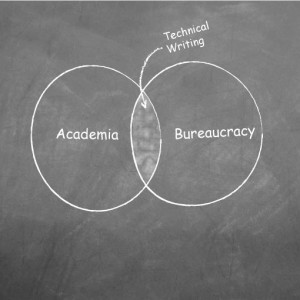
Next week, I need to find a way to incorporate the graphic I made a while back lampooning everything that’s wrong with technical documentation:
Kiss Method could really help now
Once again, I’ve been too ambitious and have nearly shot myself in the foot on this site. I’m pulling back to a simple WordPress site until I’m satisfied (and later perhaps bored) with it. Trying to set up a WordPress, Joomla, and Drupal would be super fantastic, but that’s the whole problem. I need less super fantastic and more simple.
More to come…very soon.
Testimonial – Exceptional teaching and writing skills
The material Jason produced was well thought out and explained the workflow logically and clearly. I’d recommend Jason for his exceptional teaching and writing skills.
 —Maureen Kulak, Business Analyst, WorkSafeBC
Testimonial – added great credibility to our product sales proposal
The user manuals you designed added great credibility to our product sales proposal.
—Jim Korcinski, Project Manager, Epic Data